UX - UI | SOFTWARE | B2B
2023
Mastering industrial heat with dual-chamber precision
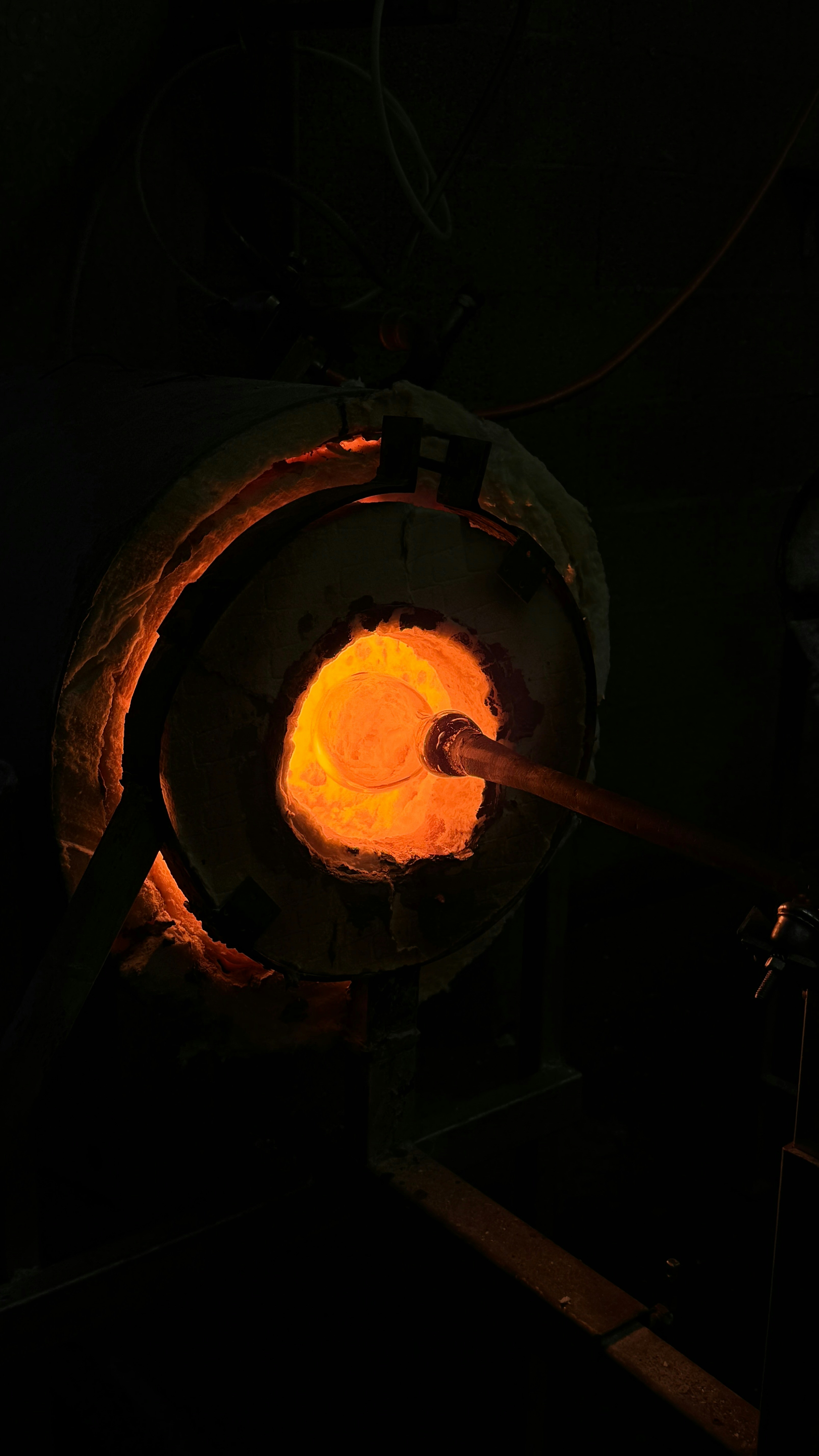
Industrial casting foundries use specialized furnaces to melt metals at extreme temperatures (1,400-1,600°C) for manufacturing engine blocks, turbine components, and precision castings. These furnaces run continuous cycles lasting 8-10 hours, operating 24/7 in harsh industrial environments with poor lighting, noise, and heat.
EcoTech, a European manufacturer of industrial melting furnaces, had developed a new dual-chamber model that could run two independent melting processes simultaneously—potentially doubling throughput. However, their existing control interface was a legacy system designed for single-chamber operation: physical buttons, analog dials, and a small monochrome LCD display showing only basic temperature readouts.
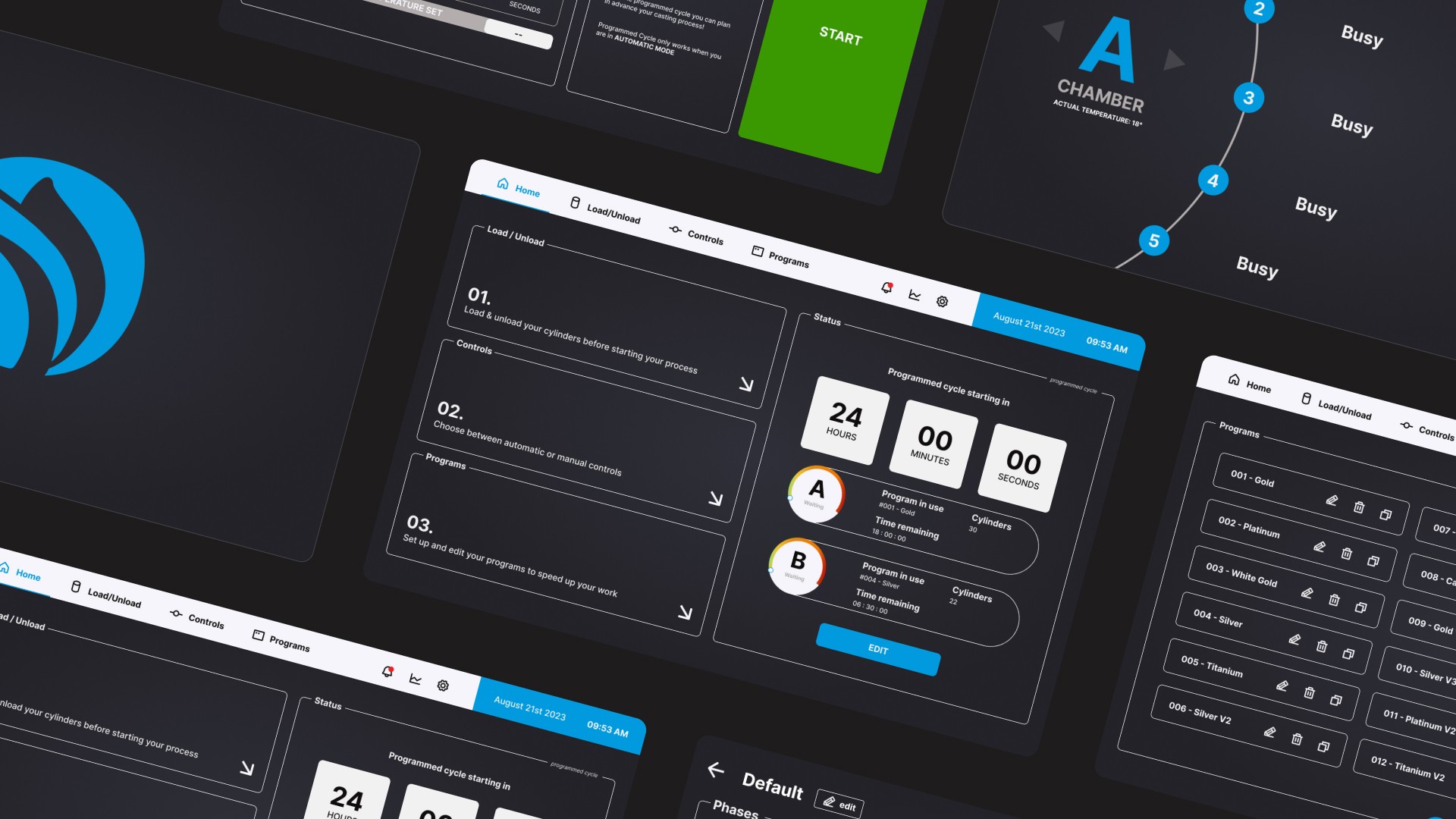
The dual-chamber capability created new complexity: operators needed to monitor and control two separate processes with different materials, temperatures, and timing. The old interface couldn't handle this without significant cognitive load and risk of operator error. EcoTech commissioned me to design a touchscreen interface for a 10-inch tablet that would be integrated directly into the furnace control panel.
Project Details:
Role: UX/UI Designer (freelance contract)
Timeline: 4 months (Aug - Nov 2023)
Collaboration: Worked with EcoTech's mechanical engineering team and one foundry operator consultant
Deliverables: Tablet interface design, interaction specifications, high-fidelity prototype for development handoff
The Objectives:
Enable dual-chamber operation: Create clear visual separation between Chamber A and Chamber B controls
Reduce operator error: Design for extreme visibility in poor lighting and when viewed from a distance
Support continuous production: Allow operators to schedule jobs that run overnight/weekends without supervision
Maintain safety: Ensure critical alerts and status changes are immediately obvious
I conducted site visits to two foundries already using EcoTech's single-chamber furnaces to understand the operational context:
Site 1: Automotive casting facility (Italy) Observed 3 operators over 2 days. Key findings:
Operators wear heat-resistant gloves, making precise touch interactions difficult
High ambient noise (95+ dB) means audio alerts are ineffective
Operators check furnace status from across the room (3-5 meters away) between other tasks
Shift changes happen every 8 hours, requiring clear handoff of furnace state
Site 2: Component manufacturer (Italy) Shadowed 2 operators during their shift. Additional insights:
Production schedules are rigid—delays cascade through entire manufacturing pipeline
Operators manage multiple machines simultaneously, can't babysit one furnace
Material costs are high (€200-500 per batch)—errors are extremely expensive
Weekend operation is desirable but currently requires paying overtime
Operator Interviews
Conducted structured interviews with 6 foundry operators (recruited through EcoTech's customer network) to understand pain points with current controls:
Top frustrations cited:
"Can't tell furnace status without walking up to it" (5/6 operators)
"Have to write everything down manually—temperatures, times, material types" (4/6)
"Weekend cycles are a nightmare—have to come in or leave it idle" (6/6)
"One small mistake and you've ruined €500 of material" (3/6)
Workflow mapping revealed a typical cycle:
Load material (manual, 15 min)
Set temperature program (current interface: 5-8 min of menu navigation)
Monitor heating curve (8-10 hours, checking every 30-60 min)
Hold at temperature (1-2 hours)
Pour/extract molten material (manual, 20 min)
Cool down and clean (2-3 hours)
The dual-chamber capability meant operators could theoretically offset two cycles, but only if the interface made it clear which chamber was in which state.
Design Constraints
Working with EcoTech's engineering team, I identified technical and environmental constraints:
Hardware:
Fixed 10-inch touchscreen (1280x800 resolution)
Mounted at chest height on furnace control panel
Must work with thick gloves (minimum touch target: 12mm)
Exposed to heat, dust, and occasional impacts
Environmental:
Poor lighting (mix of overhead fluorescents and furnace glow)
Viewing distances from 0.5m (direct interaction) to 5m (across factory floor)
High ambient noise (audio feedback not viable)
Operational:
Operators range from 20+ year veterans to new hires
Some operators speak limited English (need visual, not text-heavy)
24/7 operation across 3 shifts
Design Principles
Based on research, I established core principles:
1. Glanceable status: Current furnace state must be obvious from 5 meters away
2. Clear chamber separation: Chamber A and Chamber B must never be visually ambiguous
3. Error prevention: Make dangerous or irreversible actions require confirmation
4. Support automation: Enable "set it and forget it" weekend operation
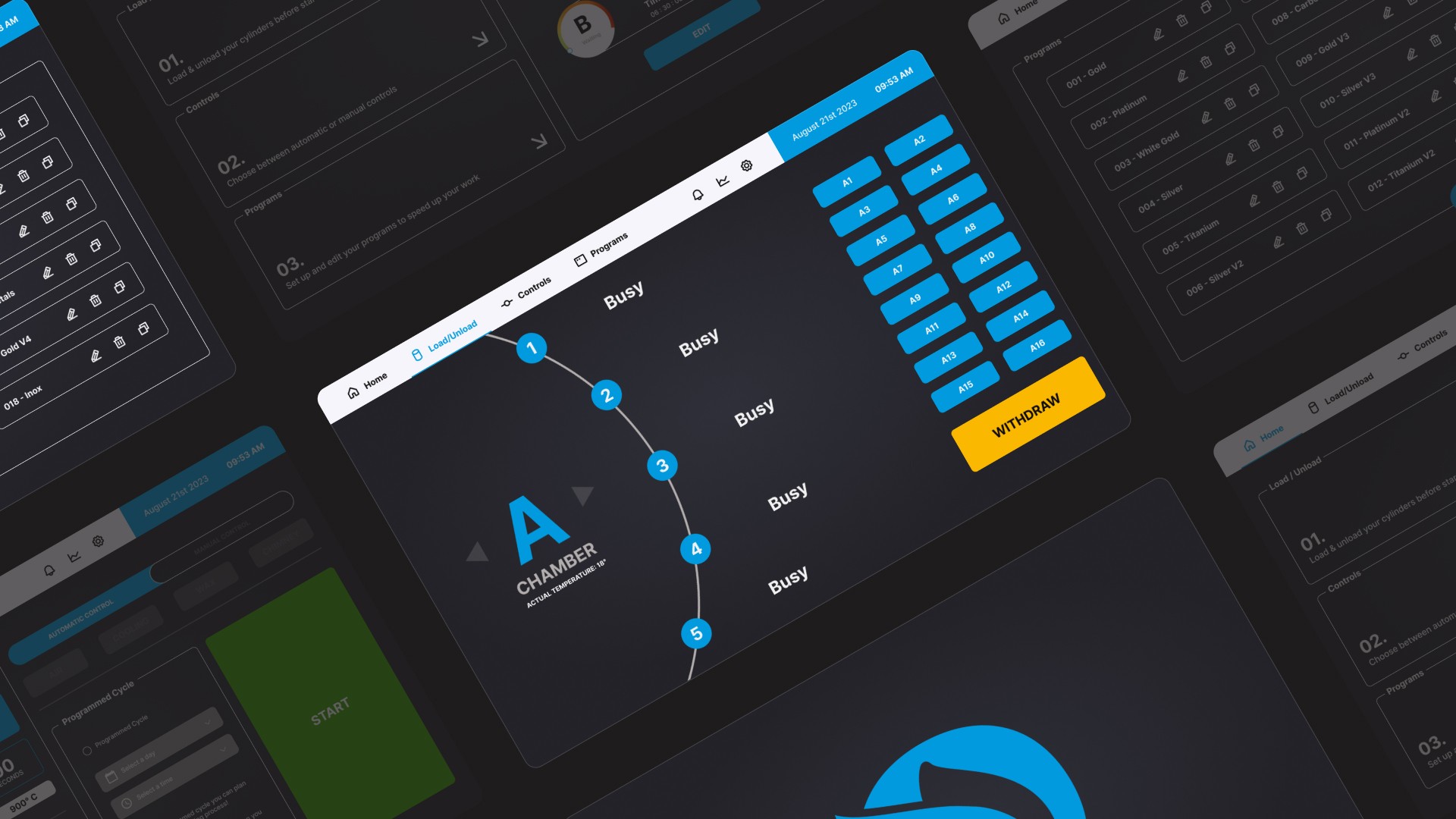
Structured the interface around three primary modes matching the operator's mental model:
Home Dashboard: At-a-glance status of both chambers
Current temperature and target temperature (large, high-contrast numbers)
Cycle progress visualization
Active alerts/warnings
Quick access to manual controls
Schedule/Program Mode: Set up automated cycles
Calendar view for weekend/overnight scheduling
Program selection (material presets: aluminum, steel, bronze, etc.)
Cycle parameters (temperature curves, hold times)
Confirmation and conflict warnings
Manual Control Mode: Direct temperature/timing control for experienced operators
Chamber-specific controls with clear visual distinction
Real-time temperature graphs
Override capabilities with safety confirmations
Visual Design System
Color Strategy: Given the harsh industrial environment and poor lighting, I used high-contrast color coding:
Primary: Blue (#1E40AF) - Cool tone, visually distinct
Background: Dark Gray (#1F2937) - Reduces eye strain, makes colors pop
Text: White (#FFFFFF) - Maximum legibility
Alerts: Red (#DC2626) for critical, Yellow (
#FBBF24) for warnings
Avoided green (commonly used for "safe/ready") because it's hard to distinguish from blue in poor lighting conditions.
Typography:
Primary: Inter Bold - Excellent legibility, wide letter spacing
Minimum text size: 18pt - Readable from 5 meters away
Critical values (temperatures): 48pt+ - Glanceable across factory floor
Touch Targets:
Minimum size: 60x60px (12mm physical) - Operable with thick gloves
Spacing: 8px minimum between adjacent buttons to prevent mis-taps
Primary actions: 80x80px+ for frequently used controls
Key Feature: Chamber Separation
To prevent operators from accidentally controlling the wrong chamber, I implemented several visual cues:
Color coding: Chamber A controls always appear on blue backgrounds, Chamber B on orange
Spatial separation: Split-screen layout with Chamber A always on left, Chamber B on right
Icons: Distinct geometric shapes (Circle for A, Square for B) reinforce the difference
Confirmation dialogs: Any action affecting a chamber displays "You are controlling CHAMBER A [BLUE]" with the appropriate color
Key Feature: Weekend Scheduling
Addressed the "long cycle" problem through a calendar-based scheduling system:
Interface flow:
Operator selects "Schedule New Cycle"
Chooses chamber (A or B)
Selects start date/time (calendar picker)
Chooses material preset or custom program
System calculates end time and shows potential conflicts
Operator confirms and schedule is locked in
Safety features:
System won't allow overlapping schedules for same chamber
Displays warnings if schedule would finish during non-working hours
Sends SMS alerts to designated operator when cycle completes (if integration available)
This feature enables Friday evening setup for Monday morning completion, eliminating weekend downtime.
Key Feature: Real-Time Progress Visualization
During active cycles, the dashboard displays a live temperature curve graph:
Graph elements:
Target curve (dotted line): The programmed temperature profile
Actual curve (solid line): Real-time measured temperature
Current position indicator: Shows where in the cycle the furnace is
Time remaining: Countdown to cycle completion
This visualization allows operators to spot anomalies immediately (actual diverging from target) and anticipate when intervention will be needed.
Prototype Testing
Created an interactive Figma prototype and tested with 4 foundry operators (mix of EcoTech customers and non-customers):
Usability test scenario: "Set up a weekend aluminum melting cycle in Chamber A starting Saturday 6am, and a bronze cycle in Chamber B starting Saturday 2pm."
Results:
4/4 completed task successfully
Average completion time: 2.8 minutes (vs. 5-8 min with old interface)
Zero instances of selecting wrong chamber
Operators specifically praised the color coding and large text
Feedback incorporated:
One operator wanted to see material type more prominently on dashboard—added it as a label below chamber name
Two operators asked for manual emergency stop—added large red "EMERGENCY STOP" button always visible
One operator suggested showing energy consumption—added to advanced settings (not priority for MVP)
Delivered comprehensive design specifications to EcoTech's software development team:
Figma prototype with all interaction states documented
Design system with color values, typography specs, and component library
Touch target size specifications and accessibility guidelines
Edge case documentation (error states, conflicts, network failures)
The development team implemented the interface using Qt framework for industrial touchscreen compatibility. I provided design review and feedback during development sprints over 2 months.
Field Testing & Iteration
EcoTech deployed the new interface to 3 beta test sites (foundries in Germany, Italy, and Czech Republic) for 6 weeks of real-world validation:
Site 1 (Germany) - Automotive casting: Operators used weekend scheduling feature immediately, running 4 unmanned weekend cycles during test period. Reported 30% reduction in overtime costs compared to previous quarter.
Site 2 (Italy) - Aerospace components: Operators praised dual-chamber visibility. Quality control manager noted zero material waste incidents during test period (previous average: 2-3 per month).
Site 3 (Czech Republic) - General manufacturing: Mix of experienced and new operators. Training time for new hires reduced from 2 days to 4 hours per shift supervisor report.
Issues identified and addressed:
High-contrast mode was too aggressive in very bright sunlight (rare but occurred). Added auto-brightness adjustment.
One operator wanted Celsius/Fahrenheit toggle (all beta sites used Celsius). Added unit preference setting.
Emergency stop button was accidentally tapped twice. Added confirmation dialog with 2-second hold requirement.
Measured Outcomes
While full ROI analysis would require longer deployment, beta test period showed promising indicators:
Operational efficiency:
Average cycle setup time: 2.5 minutes (down from 6 minutes with old interface)
Weekend utilization: 4 foundries ran scheduled unmanned cycles, previously idle time
Material waste: No reported incidents during test period across 3 sites
Usability improvements:
Post-deployment survey (12 operators across 3 sites): 11/12 rated new interface "significantly better" than previous controls
Training time reduction: ~60% faster onboarding for new operators
Distance readability: Operators confirmed they could check furnace status from across factory floor
Safety:
Zero reported instances of wrong-chamber selection errors
Zero emergency stop events caused by interface confusion