UX - UI | MOBILE APP | B2C
2025
ONYRIC: Bridging Dreams & Reality with Voice-First Design
Dream journaling has a retention problem. Through preliminary research with 8 colleagues who had attempted the practice, everyone abandoned it within 2-3 weeks. The issue wasn't lack of interest—it was friction at the moment of capture.
Typing coherent narratives immediately after waking requires too much cognitive effort when dream memories are most fragile. Existing dream journal apps treat dreams like diary entries, requiring users to be fully alert to manually type detailed text.
I designed ONYRIC as a portfolio project to explore whether voice-first interaction could solve this fundamental usability challenge.
Project Details:
Role: Solo UX/UI Designer
Timeline: 4 months (Sept 2025 - Dec 2025)
Tools: Figma, FigJam, Maze, UserTesting.com, Google Forms
Deliverables: High-fidelity prototype, design system, research documentation
The Objectives:
Reduce friction: Create a zero-effort input method for groggy users upon waking
Enable reflection: Make it easy to review and search past dreams without manual organization
Surface patterns: Help users identify recurring themes over time without tedious manual review
I conducted a mixed-methods research approach to validate the problem and inform design decisions:
Competitive Analysis: Analyzed 4 popular dream journal apps (Dream Journal Ultimate, Awoken, Lucidity, Shadow). All followed the same text-entry paradigm. Only 2 offered voice recording as a buried secondary feature, with no transcription.
User Interviews: 12 semi-structured interviews with current/past dream journalers (recruited via social media and UX research communities, ages 24-51). Key findings:
9/12 mentioned difficulty typing immediately after waking
6/12 had tried phone voice memos but found replaying audio tedious
10/12 wanted to see patterns over time but manual review was too effortful
One quote that shaped my approach: "If I could just talk into my phone and have it written down for me, I'd actually do it."
Survey Validation: Distributed Google Forms survey to r/Dreams and r/Luciddreaming (n=47). Results: 68% had tried dream journaling; of those, 74% abandoned within one month. When ranking input preferences, 53% selected voice as first choice.
Design Process
Based on research insights, I established three core design principles:
Minimize cognitive load: Reduce steps between waking and capturing
Prioritize voice input: Make recording the primary, most prominent interaction
Enable pattern discovery: Surface recurring themes without manual effort
Information Architecture: I mapped a simple three-screen flow focused on the core journey: capture, review, discover. I deliberately avoided feature bloat.
Home/Capture: Dominant voice button, recent entries below
Timeline: Chronological list with search
Insights: Auto-identified recurring themes
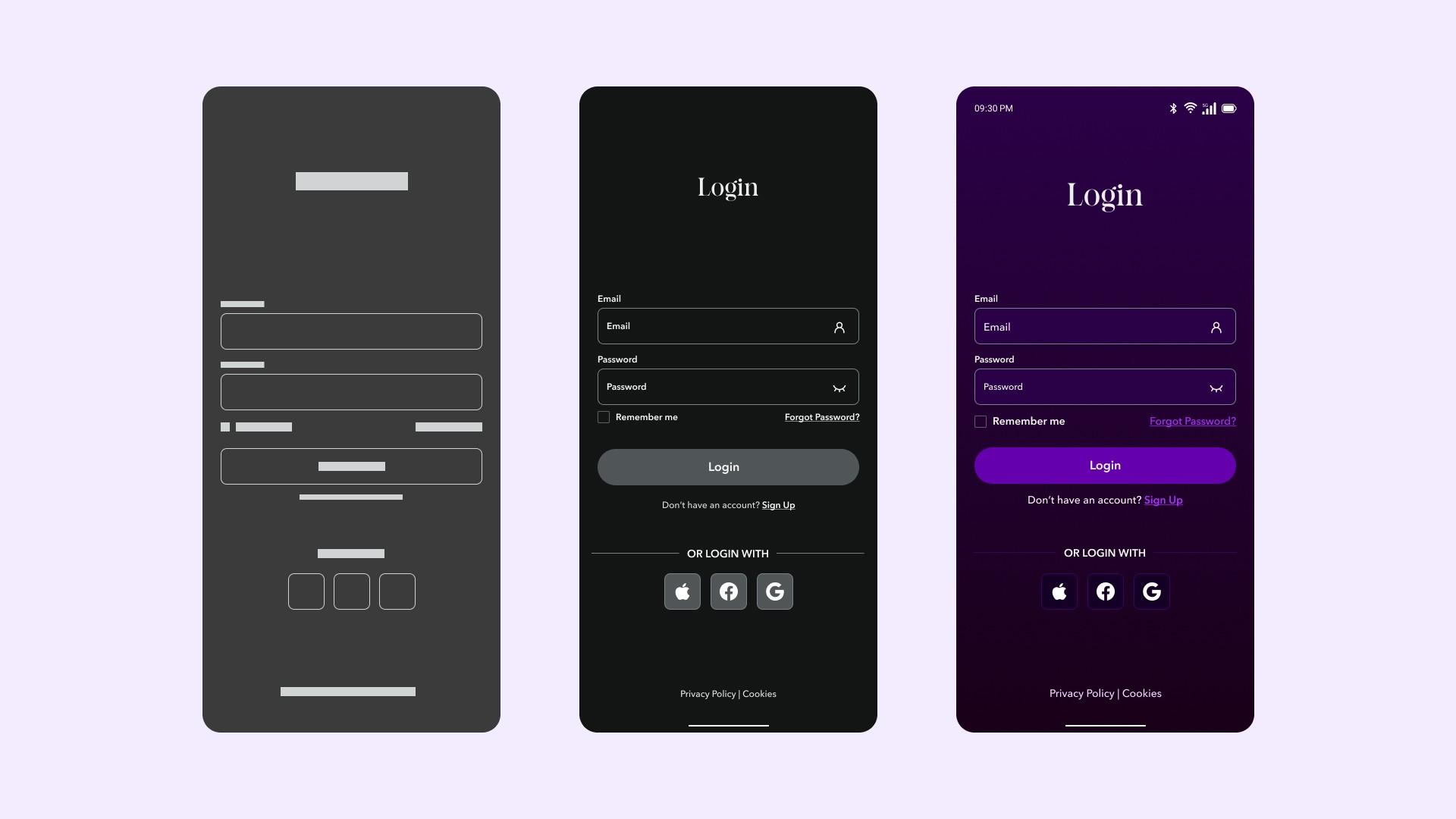
Wireframing: Created low-fi wireframes and tested 3 home screen variations via Maze with 6 participants:
Version A: Text input with small voice button in corner
Version B: Center-screen voice button with text as secondary
Version C: Full-screen voice activation (entire screen as button)
Results: Version B had fastest task completion (avg 3.2s vs 5.1s for A, 4.8s for C). Version C confused users who expected tapping to navigate. I moved forward with Version B.
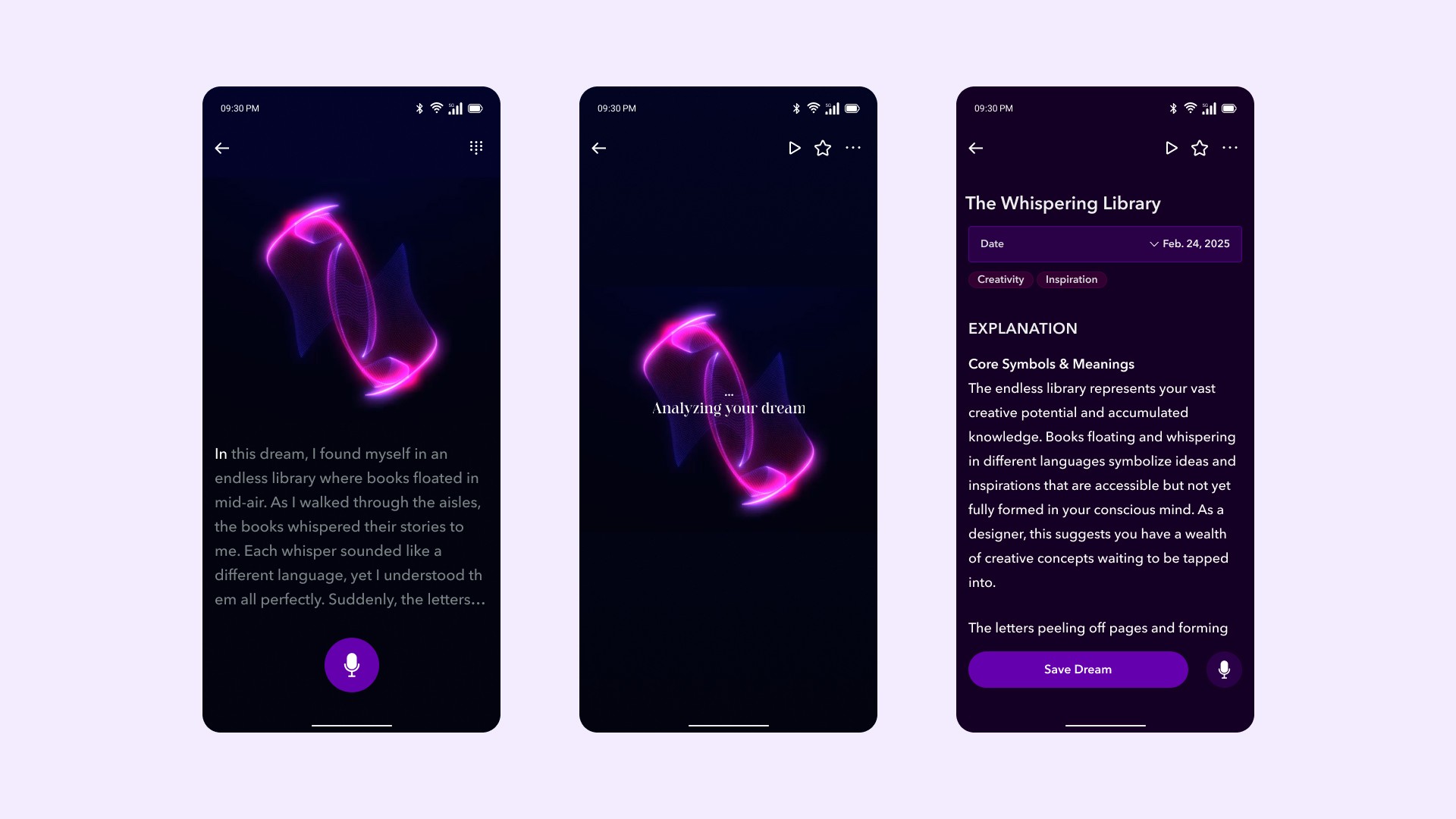
Critical design decision: Should transcription happen real-time or post-recording? I prototyped both. Real-time created anxiety—users wanted to "check" if it was working. Post-recording let users speak freely. I chose post-recording with clear loading states.
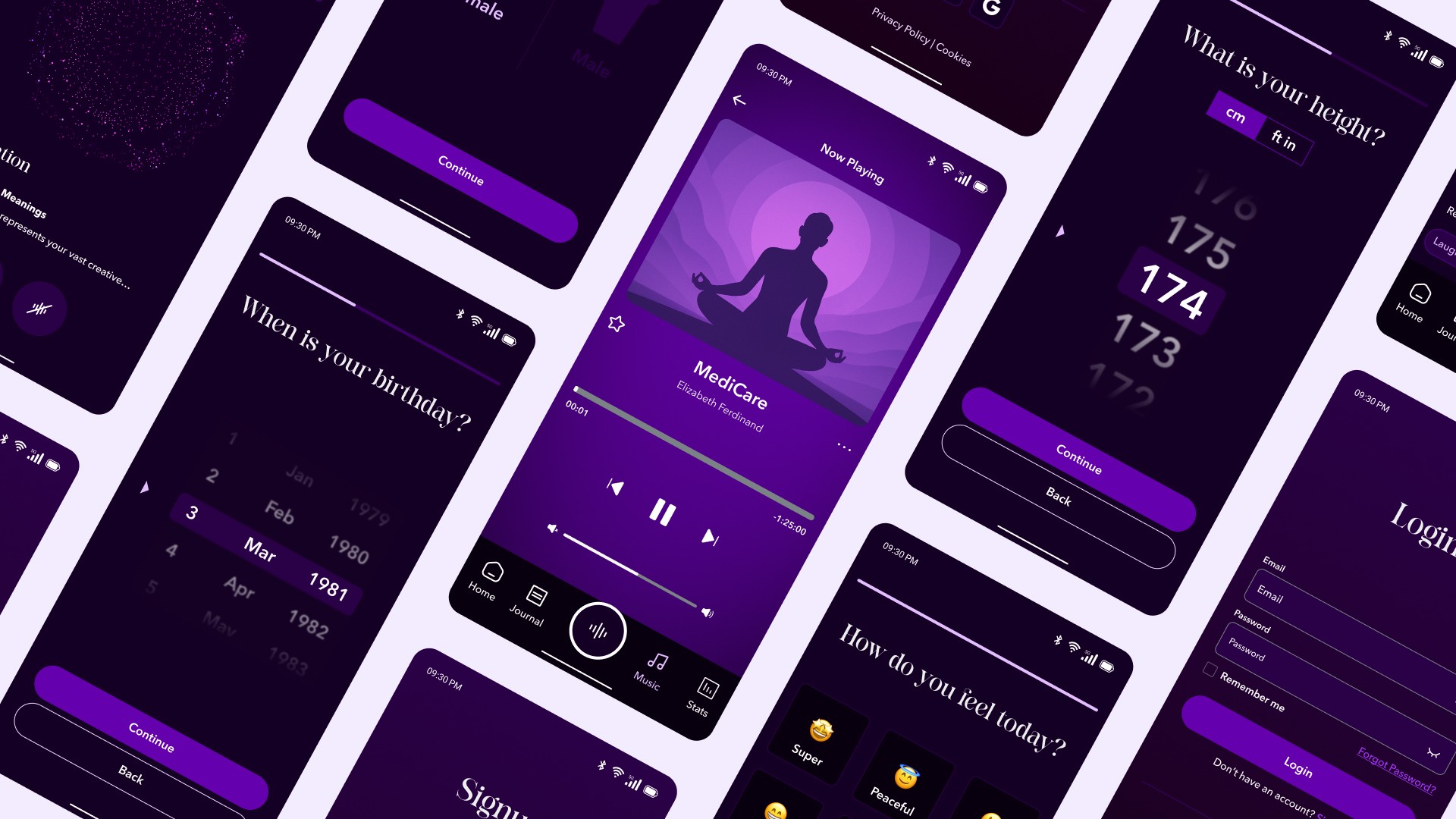
The visual design needed to balance calming aesthetics (appropriate for a sleep-adjacent product) with sufficient contrast for readability.
Color Palette:
Primary: Deep indigo (
#2D2A4A) for backgrounds—dark enough to feel restful without being starkAccent: Purple gradient (
#7B68EEto#B19CD9) for primary action button and key elementsText: Off-white (
#F5F5F5) for primary text, WCAG AA compliant (12.6:1 contrast ratio)
The purple gradient evokes the subconscious state without feeling depressing or heavy. Every color choice prioritized readability over aesthetic preference.
Typography:
Body: Inter for excellent legibility at small mobile sizes
Headings: Felgine to add warmth and a slightly dreamlike quality while maintaining readability
I resisted the temptation toward decorative fonts or heavy ornamentation. Clarity trumped aesthetic flourish.
Prototype Testing
Created high-fidelity interactive prototype in Figma with realistic voice recording animations. Tested with 8 participants via moderated UserTesting.com sessions.
Scenario: "You just woke from a vivid dream. Use this app to record it."
Results:
7/8 completed recording task without prompting
Average time to first tap: 2.1 seconds
Post-task SUS score: 78.1 (above average)
Issues identified:
3 users didn't understand automatic transcription—looked for a "transcribe" button. Added clearer loading states and onboarding tooltip.
Design iterations based on testing:
Added first-time overlay explaining voice transcription
Increased record button size by 15% for greater prominence
Simplified Insights screen by removing poorly-testing secondary tab
Changed wording from "Processing..." to "Transcribing your dream..." for clarity
This project reinforced several core UX principles:
Context is everything. Designing for semi-conscious users required different assumptions than typical app design. I couldn't rely on users reading instructions or tolerating complexity. The "just woke up" context drove every decision.
Test assumptions early. My wireframes assumed users would understand automatic transcription. Testing revealed this needed explicit communication—a reminder that what's obvious to designers rarely is to users.
Constraints drive creativity. Designing for groggy users forced ruthless prioritization, resulting in a cleaner, more focused product than if I'd had unlimited freedom.
Limitations & Next Steps
As a portfolio project, ONYRIC has limitations that would need addressing in production:
No technical validation: I designed assuming perfect speech-to-text, but real accuracy varies. Production needs error handling for misheard words.
Privacy considerations: Dreams are deeply personal. A real product requires robust encryption and clear consent for any AI analysis.
Accessibility gaps: Voice-first helps some users but excludes deaf/hard-of-hearing. Text input needs equal functionality, not afterthought status.
Limited diversity: My research sample skewed tech-savvy, English-speaking adults. Cultural differences in dream interpretation weren't explored.